
Disclaimer: This article is for educational purposes. Copilot features and availability may vary by account, subscription, and region. Always review AI-generated content before using it in a job application.
Disclosure: This article may contain affiliate links. If you purchase through these links, Elionyx may earn a commission at no additional cost to you. As an Amazon Associate, we earn from qualifying purchases. Thank you for supporting our work.
Searching for a job can be exhausting. You find a position that matches your experience, open the job description, and realize that your resume needs updating. Then comes the cover letter. You want to demonstrate that you are the right candidate, but finding the right words can be difficult.
What if you could use artificial intelligence to make this process easier?
Microsoft Copilot can help job seekers analyze job descriptions, identify relevant skills, improve resume bullet points, draft personalized cover letters, and prepare for interviews. Instead of starting from scratch every time you apply for a position, you can use Copilot as a writing and career-preparation assistant.
The key is knowing what to ask it.
In this guide, you will learn how to use Microsoft Copilot step by step, with practical prompts you can copy, customize, and use in your own job search.
What Is Microsoft Copilot, and How Can It Help Job Seekers?
Microsoft Copilot is an AI-powered assistant that can help you generate, edit, summarize, and analyze information. Depending on the version and features available to you, you can use it through a web browser or within Microsoft applications such as Word.
For job seekers, Copilot can help with several parts of the application process:
- Resume improvement: Rewrite bullet points to communicate responsibilities, skills, and achievements more clearly.
- Job description analysis: Identify important qualifications, skills, responsibilities, and keywords.
- Resume tailoring: Help you emphasize experience that is relevant to a particular position.
- Cover letter writing: Draft a letter that connects your background to the employer’s requirements.
- Application review: Identify gaps, unclear statements, grammatical errors, and opportunities to improve your documents.
- Interview preparation: Generate potential interview questions and help you practice answering them.
Copilot does not guarantee interviews or job offers. Its value is in helping you prepare clearer, more relevant, and better-organized applications while saving time on repetitive writing tasks.
You can explore Microsoft’s guidance on using Copilot for job applications through its official resume guide.
Open Copilot’s Privacy Settings
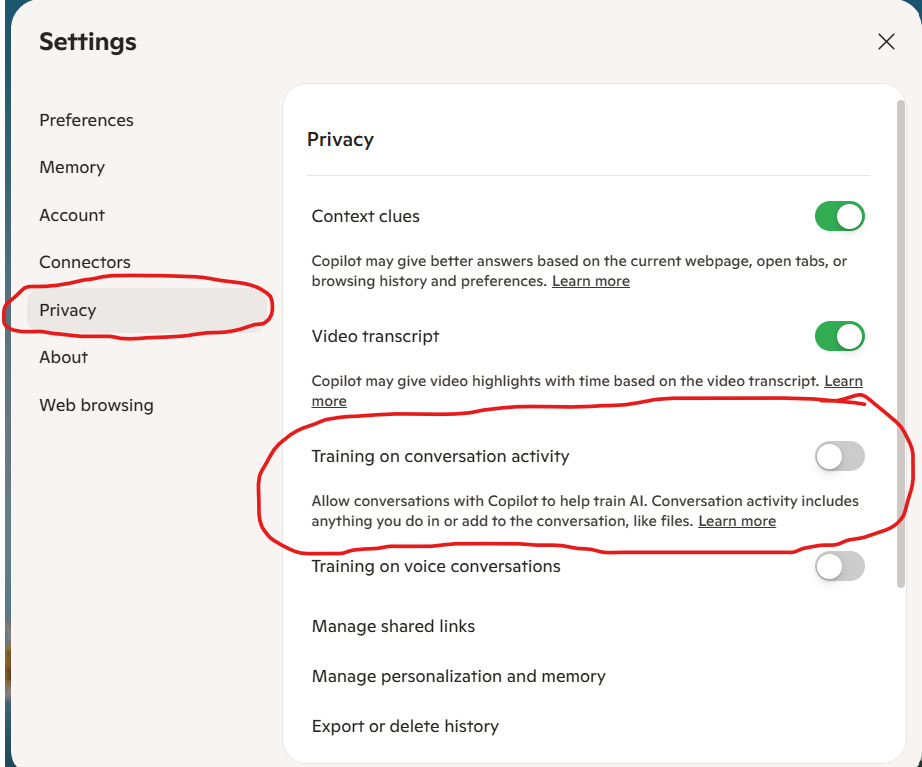
In Copilot Settings, select Privacy from the left-hand menu to review the available privacy controls.
Before uploading your resume or cover letter to Microsoft Copilot, take a moment to review your privacy settings.
- Open Microsoft Copilot.
- Click your profile icon.
- Select Settings.
- In the left-hand menu, click Privacy.
- Look for Training on conversation activity.
If this setting is available in your version of Copilot, review the description and switch it off if you do not want your conversation activity to be used for AI training under this setting.
Why does this matter?
When using Copilot for job applications, your conversations may include information from your resume, employment history, qualifications, and uploaded documents. Reviewing your privacy controls helps you make a more informed decision about the information you share.
Important: Turning off this setting does not necessarily disable all data processing or retention. Privacy controls can vary by account and product. Avoid uploading sensitive personal information that Copilot does not need to complete your task.
Step 1: Prepare Your Resume and Find the Job Description
Before opening Copilot, gather two essential documents:
- Your current resume, including your work experience, education, skills, certifications, and achievements.
- The complete job description for the position you want.
You can copy and paste the text into Copilot or use file-upload features where available.
Your resume provides evidence of what you have done. The job description explains what the employer wants. Copilot can help you identify where those two documents overlap.
Important: Use a resume that accurately reflects your experience. If your current resume lists only job duties, prepare additional information about your achievements, projects, tools, and results whenever possible.
Step 2: Ask Copilot to Analyze the Job Description
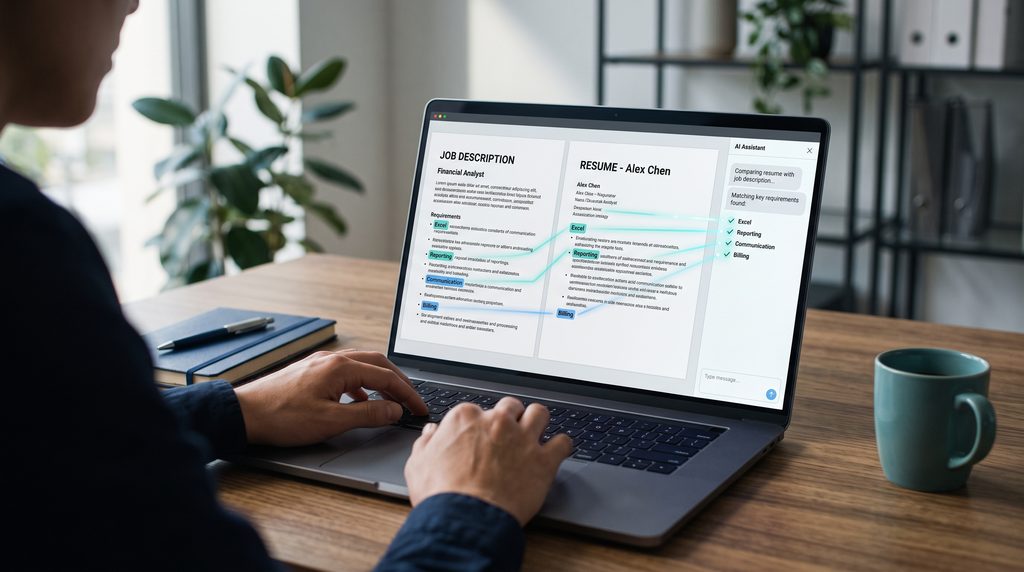
Do not begin by asking Copilot to rewrite your resume immediately. First, understand what the employer is looking for.
Paste the job description into Copilot and use the following prompt.
Prompt 1: Analyze a job posting
Act as a professional resume and career advisor. Analyze the job description below for the position I want to apply for.
Identify:
- The five most important responsibilities.
- The essential and preferred qualifications.
- The technical skills, software, and tools mentioned.
- The soft skills the employer appears to value.
- Important keywords and phrases that may be relevant to the resume.
- The main problems or business needs the successful candidate is expected to address.
Organize your findings in a table. Separate essential requirements from preferred qualifications. Do not assume anything that is not supported by the job description.
Job description:
[PASTE JOB DESCRIPTION HERE]
Why this prompt is useful
A job posting may contain many responsibilities, but some are more important than others. This analysis helps you focus on the qualifications and experience that matter most for the particular position.
For example, an employer hiring a Billing Analyst might emphasize invoice preparation, account reconciliation, billing accuracy, Excel, financial reporting, and communication with internal stakeholders.
A different employer may prioritize collections, customer account management, or revenue reporting.
Your application should reflect the actual position rather than rely on a generic resume for every job.
Step 3: Compare Your Resume With the Job Requirements
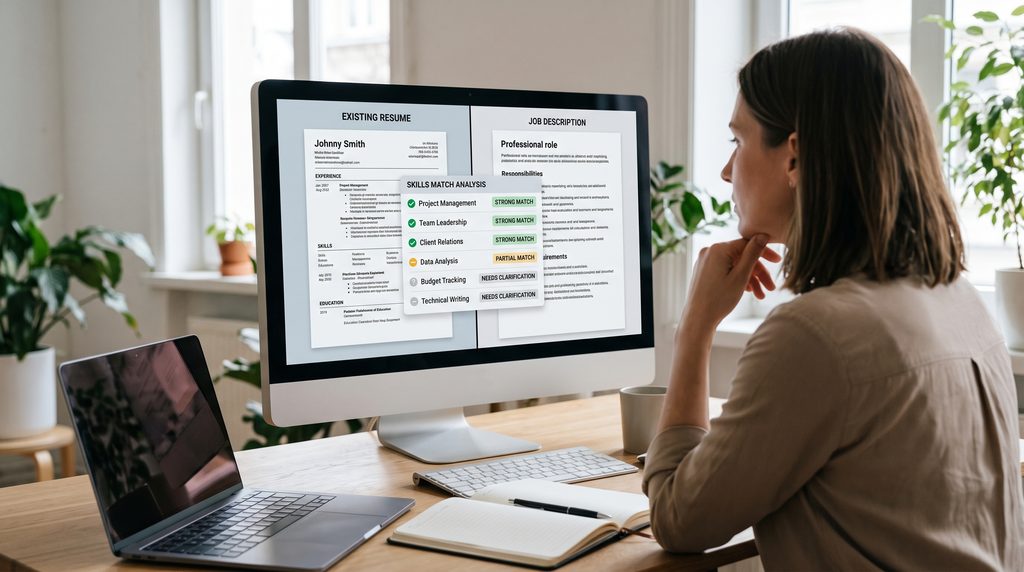
Now ask Copilot to compare your existing resume with the job description.
Prompt 2: Identify your strengths and gaps
Compare my resume with the job description provided below.
Create a table with four columns:
- Job requirement
- Evidence from my resume
- Match status: strong match, partial match, or not demonstrated
- Recommended action
Identify my strongest qualifications for this position, the experience I should emphasize, and any gaps I should address honestly.
Do not invent qualifications, experience, certifications, achievements, or software skills. If a requirement is not demonstrated in my resume, ask me questions that could help determine whether I have relevant experience that I have not included.
MY RESUME:
[PASTE RESUME HERE]
JOB DESCRIPTION:
[PASTE JOB DESCRIPTION HERE]
This step is especially useful if you have several years of work experience or have performed many different duties in previous positions.
You may already possess the skills an employer wants, but your resume might not communicate them clearly.
For example, your current resume might say:
“Responsible for preparing invoices and responding to billing inquiries.”
After learning more about your work, Copilot might suggest a stronger version:
“Prepared client invoices, investigated billing discrepancies, and responded to billing inquiries to support accurate and timely billing operations.”
The revised statement communicates more than a basic duty. However, only use wording that accurately reflects what you actually did.
Step 4: Tailor Your Resume to the Specific Position
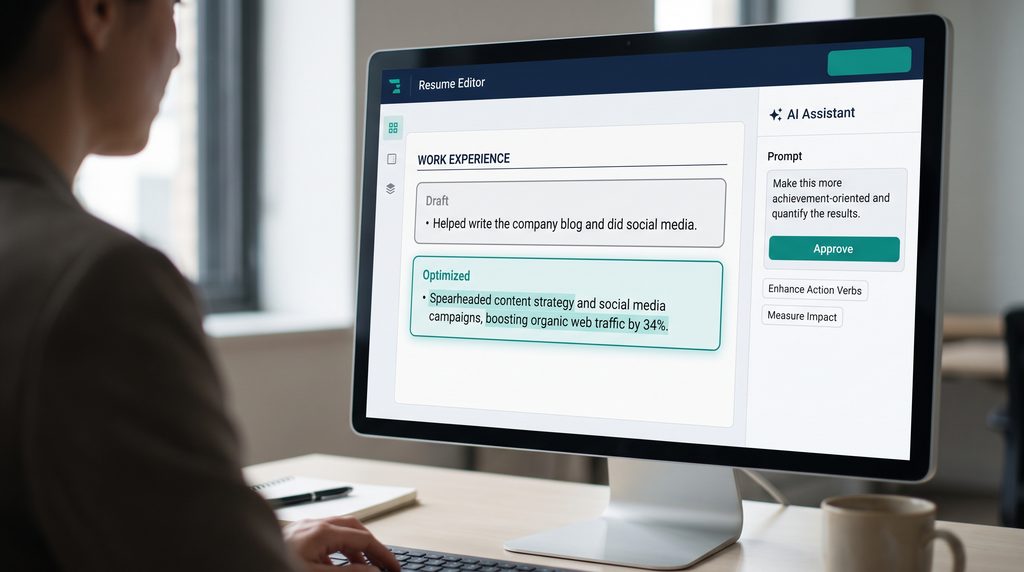
Once you understand the requirements and identify relevant experience, you can ask Copilot to help revise your resume.
Prompt 3: Tailor your resume
Act as an experienced resume writer.
Using my existing resume and the job description below, help me tailor my resume for this specific position.
Requirements:
- Prioritize experience and achievements relevant to the position.
- Use terminology from the job description where it accurately reflects my background.
- Rewrite weak bullet points to communicate responsibilities, skills, and measurable achievements more clearly.
- Strengthen my professional summary to reflect my relevant qualifications.
- Recommend relevant skills to include only when supported by my actual experience.
- Use clear, concise, professional language.
- Keep the resume easy to read and suitable for a conventional applicant tracking system (ATS).
- Do not invent numbers, achievements, qualifications, employment dates, or responsibilities.
- Preserve the accuracy of my employment history.
First, show me the proposed changes and explain why they are relevant to the job. Do not remove important experience without explaining why.
MY RESUME:
[PASTE RESUME HERE]
JOB DESCRIPTION:
[PASTE JOB DESCRIPTION HERE]
Review the proposed changes before incorporating them into your resume.
Remember: Tailoring your resume does not mean copying the job description into your work history. It means presenting your genuine qualifications in a way that makes their relevance easier for the employer to understand.
Step 5: Improve Your Resume Bullet Points
One of the most practical ways to use Copilot is to improve the way you describe your work.
Weak bullet points often focus only on tasks. Stronger bullet points explain what you did, how you did it, and, where possible, the outcome.
Prompt 4: Rewrite your experience
Review the following resume bullet points for a [JOB TITLE] position.
Rewrite them to be clearer, more specific, and achievement-focused.
For each bullet point:
- Preserve the original meaning.
- Use strong action verbs where appropriate.
- Highlight relevant skills and responsibilities.
- Include results only when I have provided evidence for them.
- Identify where additional information or measurable results could strengthen the statement.
Do not exaggerate my contribution or create achievements.
My current bullet points:
[PASTE BULLET POINTS HERE]
For example:
Before: Helped with monthly reports.
After, if accurate: Prepared monthly reports to support financial tracking and management review.
If you also analyzed discrepancies or improved the reporting process, you could add those details, provided they accurately describe your contribution.
You can make the result even more useful by giving Copilot additional context about the scope of your responsibilities, the tools you used, or the outcomes you achieved.
Step 6: Create a Personalized Cover Letter

Your cover letter should complement your resume, not simply repeat it.
It should explain why your experience is relevant to the role, demonstrate your interest in the opportunity, and highlight one or two qualifications that make you a credible candidate.
Prompt 5: Write a tailored cover letter
Act as a professional career writer. Write a personalized cover letter for the position described below, using my resume as the source of factual information.
The letter should:
- Address the position and employer appropriately.
- Explain why my background is relevant to the role.
- Highlight two or three qualifications or achievements that align with the job requirements.
- Connect my experience to the responsibilities described in the posting.
- Demonstrate professional interest without using exaggerated praise.
- Sound natural, confident, and human.
- Avoid generic openings, unnecessary repetition, and clichés.
- Be concise, ideally around 250–350 words unless the application specifies otherwise.
- Never invent experience, achievements, motivations, or knowledge of the employer.
If important information is missing, ask me questions before making assumptions.
MY RESUME:
[PASTE RESUME HERE]
JOB DESCRIPTION:
[PASTE JOB DESCRIPTION HERE]
Write the first draft, then explain which qualifications from my resume you emphasized and why.
How to make the letter more personal
After receiving the first draft, give Copilot more context about your interest in the position.
For example, you could explain that you want to move into a role with more responsibility, that your experience aligns with a particular business function, or that you have developed a specific skill relevant to the position.
Then use this follow-up prompt:
Revise the cover letter to reflect the additional information I have provided. Make it more personal and specific to this opportunity while maintaining a professional tone. Avoid repeating my resume word for word.
The result should sound like a candidate explaining their qualifications, not a machine listing keywords.
Step 7: Check Keywords and Applicant Tracking Systems
Many employers use applicant tracking systems (ATS) to organize and manage applications. These systems differ, and their screening and ranking methods vary.
Copilot can help you identify relevant terminology in a job posting and determine whether your resume communicates the corresponding qualifications.
Prompt 6: Review ATS-relevant keywords
Compare my resume with this job description and identify important skills, qualifications, software names, and professional terms that are missing or not clearly expressed in my resume.
Separate your findings into:
- Keywords already represented in my resume.
- Relevant keywords that could be incorporated more clearly.
- Requirements I do not currently demonstrate.
For each relevant keyword, recommend a natural place to include it if my experience supports doing so.
Do not add unsupported skills or repeat keywords unnaturally. Do not claim that my resume will pass an ATS screening or guarantee a particular score.
RESUME:
[PASTE RESUME HERE]
JOB DESCRIPTION:
[PASTE JOB DESCRIPTION HERE]
Use the results to improve clarity and relevance, not to manipulate a screening system.
A keyword should appear in your resume because it accurately describes your qualifications, not simply because it appears in the job posting.
Step 8: Ask Copilot to Critique Your Final Application
Before submitting your application, review the resume and cover letter together.
Prompt 7: Perform a final review
Act as a recruiter reviewing my application for the position described below.
Review my tailored resume and cover letter together.
Assess:
- How clearly my qualifications match the job requirements.
- Whether the most relevant experience is easy to identify.
- Whether the resume and cover letter are consistent.
- Whether any statements are vague, repetitive, exaggerated, or unsupported.
- Whether there are spelling, grammar, or punctuation errors.
- Whether the documents use clear, professional formatting.
- Whether there are important requirements that my application does not address.
Give me a prioritized list of recommended improvements. Explain the reason for each recommendation and provide suggested revisions where appropriate.
Do not guarantee interview selection or assume you know the employer’s internal screening criteria.
JOB DESCRIPTION:
[PASTE JOB DESCRIPTION HERE]
FINAL RESUME:
[PASTE RESUME HERE]
FINAL COVER LETTER:
[PASTE COVER LETTER HERE]
This final review helps you catch issues that may be overlooked when you focus on each document separately.
Step 9: Use Copilot to Prepare for the Interview
Your job application is only one part of the process. Once your resume and cover letter are ready, Copilot can also help you prepare for an interview.
Prompt 8: Practice interview questions
Act as an interviewer hiring for the position described below.
Based on the job description and my resume, identify ten realistic interview questions I may be asked.
Include questions about technical skills, relevant experience, problem-solving, teamwork, and handling workplace challenges where appropriate.
Ask me one question at a time. Wait for my answer before asking the next question. After each answer, provide constructive feedback on its clarity, relevance, and completeness.
Help me structure answers using real examples from my experience. Do not invent stories or achievements for me.
JOB DESCRIPTION:
[PASTE JOB DESCRIPTION HERE]
MY RESUME:
[PASTE RESUME HERE]
You can also ask Copilot to help you develop examples using the STAR method: Situation, Task, Action, and Result.
Practicing this way can help you explain your experience more confidently and prepare specific examples before meeting the hiring team.
Tips for Getting Better Results From Copilot
The quality of Copilot’s output depends partly on the information and instructions you provide. Microsoft’s prompting guidance recommends specifying your goal, context, source material, and expected output.
Keep these principles in mind:
1. Be specific. Instead of saying, “Improve my resume,” explain which role you are applying for and what you want to improve.
2. Provide the job description. This gives Copilot the information needed to make its suggestions relevant to the actual opportunity.
3. Work in stages. Analyze the job posting first, compare it with your resume, revise the resume, draft the cover letter, and then review everything.
4. Ask follow-up questions. If the result is too generic, ask for more specific wording or explain which parts do not accurately reflect your experience.
5. Keep your real voice. Edit the final documents so they sound natural and reflect how you would describe your own work.
6. Verify every statement. Check dates, job titles, qualifications, software skills, achievements, and any numerical results.
7. Protect your personal information. Review the privacy terms and settings of the Copilot version you use. Avoid sharing unnecessary personal information, confidential employer information, or sensitive client details.
For more guidance, consult Microsoft’s official instructions for writing effective Copilot prompts.
Common Mistakes to Avoid When Using AI for Job Applications
Copilot is a useful assistant, but relying on it without reviewing the output can create problems.
Avoid these mistakes:
- Submitting the first draft without editing it. AI-generated writing can sound generic or overly formal.
- Inventing qualifications. Never include skills, certifications, or achievements you cannot substantiate.
- Stuffing the resume with keywords. Natural, relevant language is more useful than repetitive terms.
- Using the same cover letter for every position. Each letter should reflect the particular opportunity.
- Accepting every recommendation. Some suggestions may not suit your industry, seniority, or experience.
- Assuming ATS success is guaranteed. No AI-generated resume can guarantee that an employer will shortlist you.
Your objective is not to create a perfect-looking document at any cost. It is to help an employer understand your actual qualifications and why they matter.

- [Right Amounts of Pockets] Stylish padfolio features business cards holder, a pen slot, easy access pocket, interview re…
- [Premium Material] Clipboard folder holder made of premium faux leather with glossy finish, offers smooth and soft touch…
- [Functional Design] Folio saves space by allowing the left cover to fold completely flat beneath the right writing-paper…
Final Thoughts: Let Copilot Help You Work Smarter
Job searching takes time, especially when you are applying for multiple positions while managing your existing responsibilities.
Microsoft Copilot can help make the process more manageable by analyzing job descriptions, improving resume content, drafting targeted cover letters, and preparing you for interviews.
The most important skill is not simply knowing how to use AI. It is knowing how to give it useful instructions, provide accurate information, evaluate its suggestions, and take responsibility for the final result.
Start with one job posting. Analyze its requirements, compare them with your experience, and use the prompts in this guide to prepare a tailored application.
You do not need to be an expert in AI or professional writing to get started. You need a clear understanding of your experience, a specific job opportunity, and a willingness to review and improve the results.
Your experience is the foundation. Copilot is the assistant that can help you present it more effectively.
Disclaimer: This article is for educational purposes. Copilot features and availability may vary by account, subscription, and region. Always review AI-generated content before using it in a job application.